Installing and Using the AEM Guides Extension Package
Extensions give you the opportunity to customise your AEM Guides app to better suit your needs. This extension framework is supported with AEM Guides v4.3 onwards (on-prem) and 2310 (cloud).
Requirements:
This package requires git bash and npm
Installation
The easiest way to bootstrap AEM Guides framework installation is through cli
npx @adobe/create-guides-extension
Adding customisation code
- Add code files for each component you want to extend in the
src/directory. Some sample files have already been added for you. - Now in the
index.tsfile located in thesrc/directory :- Import the
.tsfiles with the customisations you want to add in your build. - Add the imports to
window.extension - Register the customised component's
idand corresponding import totcx extensions - Refer to the sample index.ts
- Import the
Building the customised code
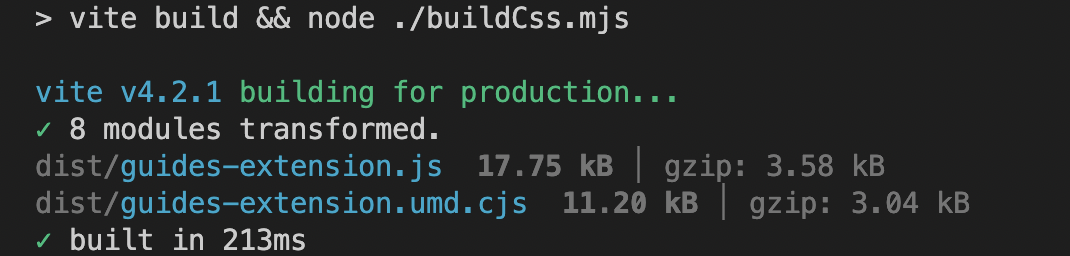
- Run
npm run buildin the root directory. You will get 3 files in the directory,dist/:build.cssguides-extension.jsguides-extension.umd.cjs
Adding the customisation to AEM
- Go to
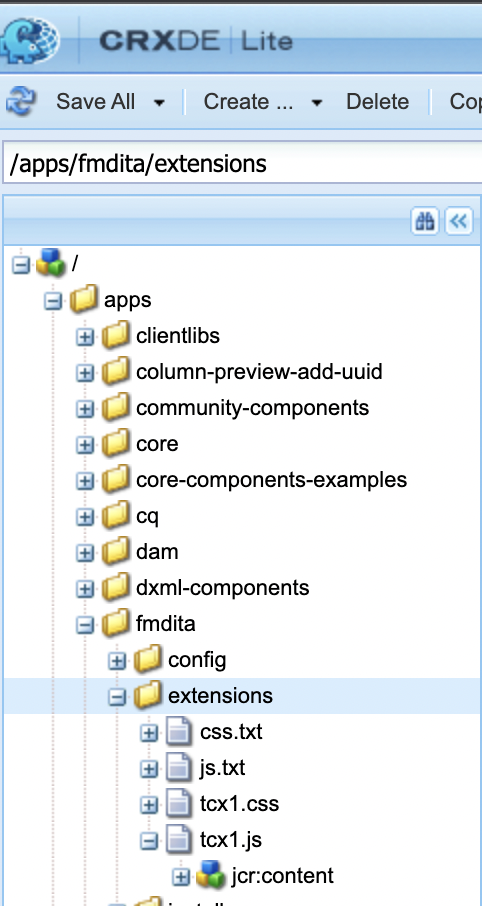
CRXDEcrx/de/index.jsp#/ - Under the
appsfolder, make a new node of the typecq:ClientLibraryFolder
- In the
propertiesof the node, selectMultiadd the following property Name:categoriesType:String []Value:apps.fmdita.review_overrides,apps.fmdita.xml_editor.page_overrides

- To add the built js, create a new file, say,
tcx1.jsin the above created node. Here, add the code fromdist/guides-extension.umd.cjsordist/guides-extension.js. Now create a new filejs.txt, here we add the name of our js file, which in this case would be:
#base=.
tcx1.js
- To add the built css, create a new file, say,
tcx1.cssin the above created node. Here, add the code fromdist/build.css. Now create a new filecss.txt, here we add the name of our css file, which in this case would be:
#base=.
tcx1.css
- Do a
shift + refreshto load the app with the customisations!
Troubleshooting
Check that all the above steps were performed correctly.
After adding your code to tcx.js, make sure to do a hard refresh (shift+refresh).
Now open AEM, do a right click and click Inspect
Go to Sources and search for your [node_name].js (for eg: extensions.js) file. Do a Control / Cmd + D to search for your file. If the .js file exists with the JS code you pasted from dist/guides-extension.umd.cjs or dist/guides-extension.js, your setup is complete