Examples
In this package we have also provided some customisation examples (available at guides_extension/src) . Below is a brief description for each of them.
Context Menu In this example we have customised the
file_optionscontext menu, to remove theDeleteandEditoptions, and replace theDuplicateoption with aDownloadoption.Left Panel In this example we have customised the
left tab panel`` to have anothertabtitled "TEST EXTENSION", and a correspondingtab panelwhich has a label:Test Tab Panel`Right Panel In this example we have customised the
right tab panelto have anothertabtitled "TEST EXTENSION", and a correspondingtab panelwhich has a label:New Tab PanelToolbar In this example we have replaced the
Insert Element,Insert Paragraph,Insert Numbered List,Insert Bulleted Listbuttons with a singleMore Insert Optionsbutton containing all of these.
[Review App Examples]
Annotation Toolbox In this example we have added another button to the annotation toolbox that opens the current review topic in AEM.
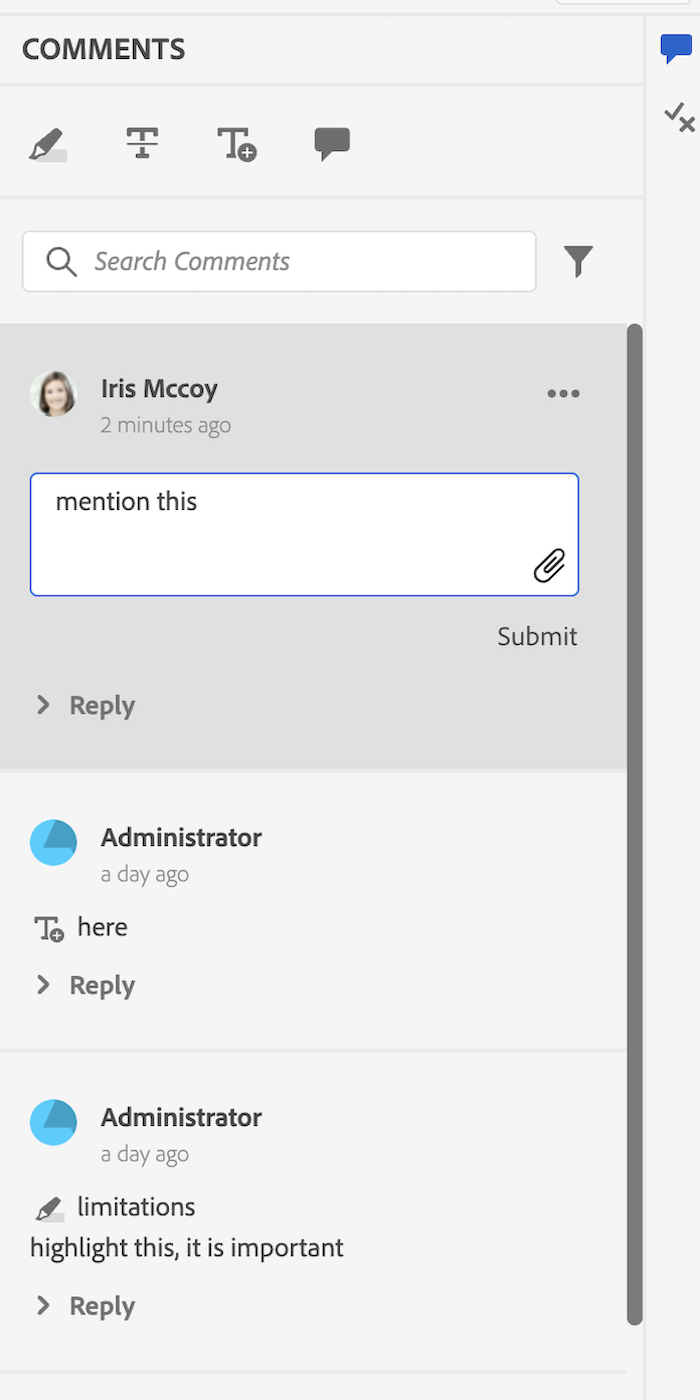
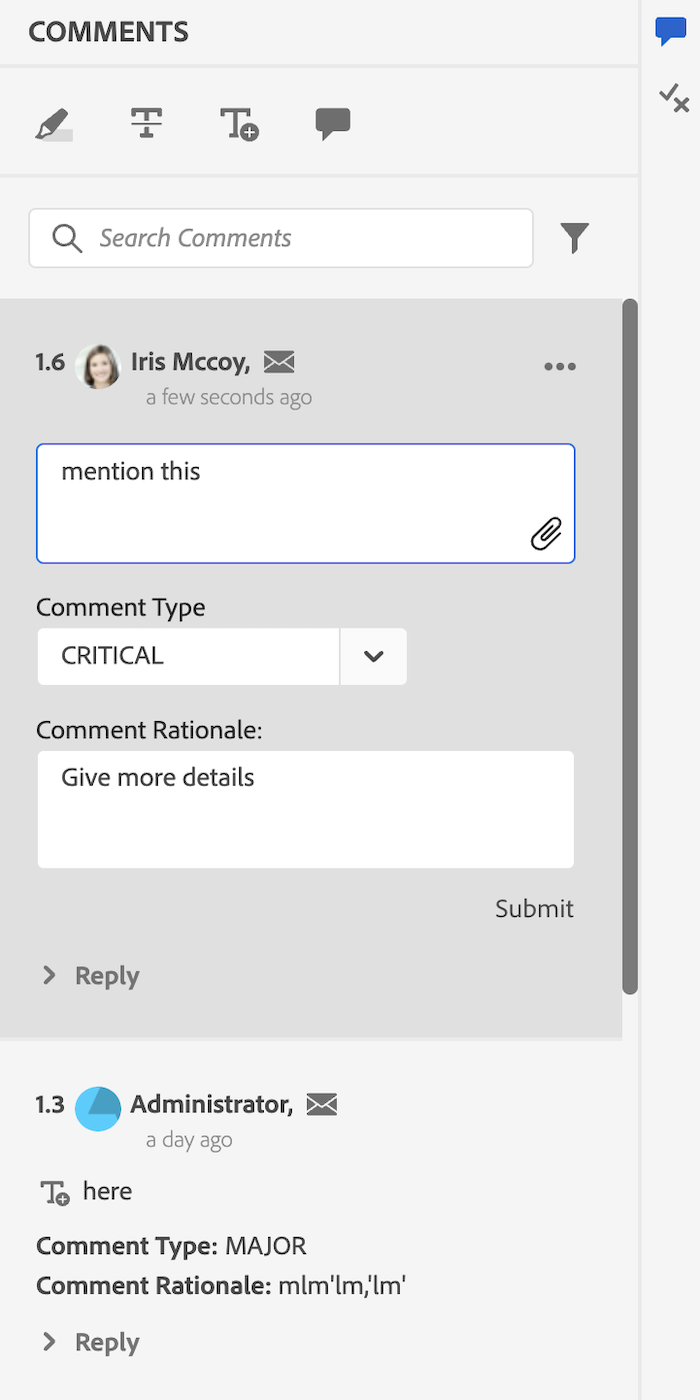
Review Comment In this example we have added replaced the user name with user info (consisiting full name and title of the commenter), added a unique comment ID, a mailTo icon, and added input fields for mentioning comment severity and rationale.
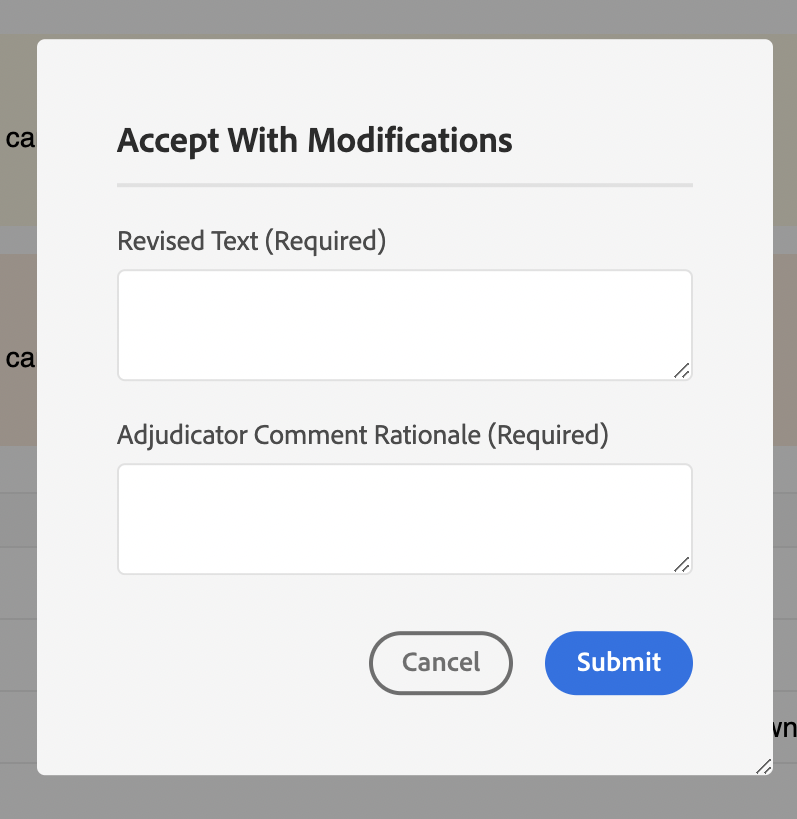
We have also added a accept with modification button on comments on the XMLEditor side that opens a dialogue.
Comment Reply In this example we have added replaced the user name with user info (consisiting full name and title of the commenter), and added a mailTo icon in the comment header.
Inline Review Panel In this file, we calculate and assign the unique comment ID, mentioned in the
Review CommentandComment Replyexamples.
The
setCommentIdmethod sets the unique comment ID to each comment depending on the comment count.The
setUserInfosets the value of userInfo, using the full name and title for each comment.The
onNewCommentEventensures thesetUserInfomethod is called for each new comment or reply.The
updatedProcessCommentsfunction runs for each new comment Event, and ensures thatsetCommentIdis called if we get a new comment event.
This file extends Inline Review Panel so that added customisations work on the Review App side as well.
This is an example of adding new widgets to the app. Here we have created a new dialogue, that has two input text fields: Revised Text and Adjudicator Comment Rationale
Here's the review panel before and after customisation: